
Short answer
A Wi-Fi QR code encodes the network name, security type and password so a phone can join without typing. The common failure is punctuation: semicolons, commas, colons and backslashes in a password must be escaped, or everything after them is silently discarded.
Why this is the highest-value code most venues skip
Think about what happens without one. A customer asks for the Wi-Fi password. A staff member stops what they are doing, recites a string of characters, and the customer mistypes it. Sometimes twice. This repeats all day, every day.
A Wi-Fi code removes that entire loop for the cost of printing a small square. It is the clearest return on a QR code available to any venue, and it is far less common than menu codes.
It also solves a security annoyance: a password that is genuinely long and random becomes practical, because nobody has to type it.
What the code actually contains
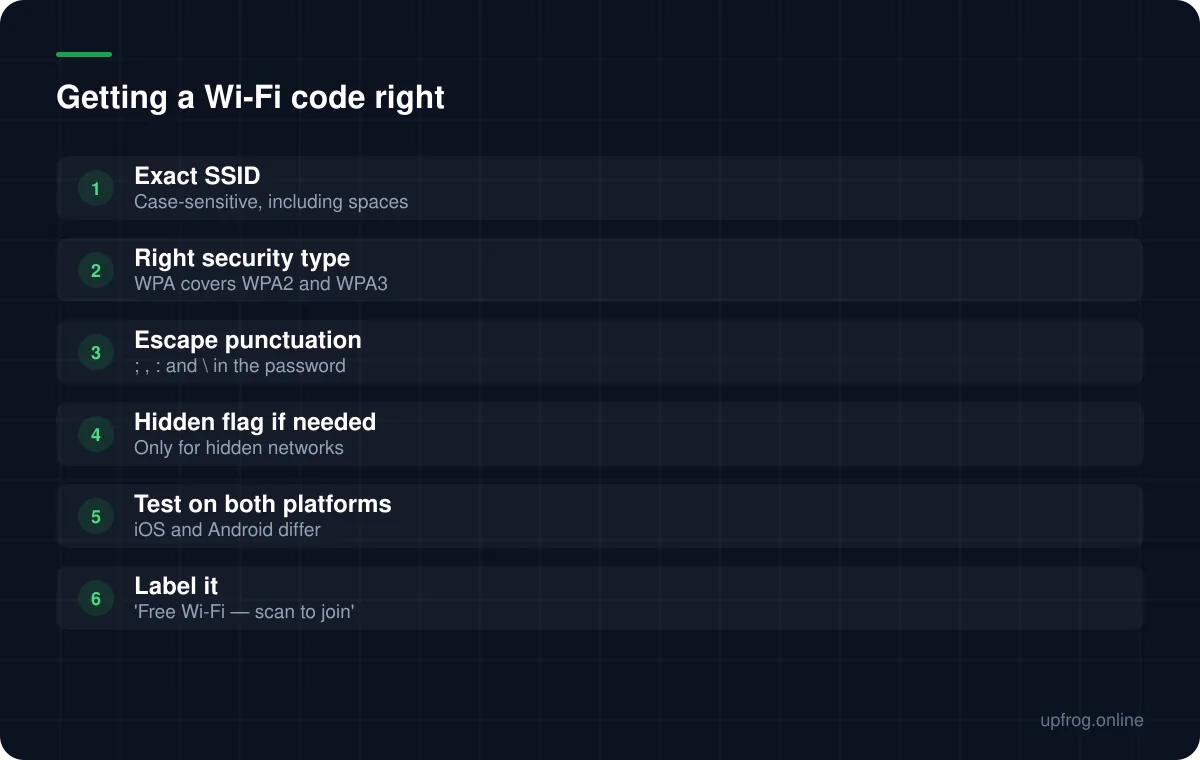
The payload is a short, structured string carrying the network name, the security type and the password. The phone reads it and offers to join — it does not join silently, which is the correct behaviour.
The security type is usually WPA, which covers WPA2 and WPA3 as far as this format is concerned. WEP exists for old equipment, and an open network uses a no-password setting.
The SSID must match exactly, including capitalisation and any spaces. A network called Cafe Guest is not the same as cafe guest.
The punctuation trap
This is the failure worth knowing about, because it is completely silent. The Wi-Fi format uses semicolons to separate fields and colons to separate keys from values. If your password contains one of those characters, it has to be escaped with a backslash.
If it is not escaped, the phone reads the password as ending at that character. Everything after it is discarded. The code scans, the phone offers to join, and the connection fails with a wrong-password error that looks like a router problem.
The characters that need escaping are semicolon, comma, colon, backslash and double quote. Our generator escapes them automatically — a password like flat;white is encoded as flat;white — but it is worth decoding your own code and checking, because not every tool does this.
Practical setup
A few decisions make these codes work better in a venue.
- 1
Use a separate guest network
It keeps customers off the network your till and back office use, and lets you change the guest password without disrupting operations.
- 2
Choose a password without punctuation
Not because escaping fails, but because it makes the code simpler to reproduce and easier to read out if someone asks.
- 3
Label the code with what it does
'Free Wi-Fi — scan to join' converts far better than a bare square, because scanning stops being a gamble.
- 4
Print it where people sit
Table tents and menus, not the back wall. People connect after they sit down.
- 5
Test on an iPhone and an Android before printing a batch
Behaviour around hidden networks and security types differs between them.
Frequently asked questions
- Why does my Wi-Fi QR code say the password is wrong?
- Most often the password contains a semicolon, colon, comma or backslash that was not escaped when the code was generated. The phone reads the password as ending at that character. Decode the code and inspect the raw string.
- Does a Wi-Fi QR code work on both iPhone and Android?
- Yes, both support the format natively through the camera. Behaviour differs slightly around hidden networks and older security types, which is why testing on one of each before printing is worth the five minutes.
- Is a Wi-Fi QR code a security risk?
- It shares the password with anyone who can see the code, which is the same exposure as writing it on a board. Use a separate guest network so that exposure never touches the systems that matter.
- Can a Wi-Fi QR code work with a captive portal?
- It will connect the device to the network, but it cannot complete a portal login. Users will still need to accept terms in the browser page that appears afterwards.
Sources
Specifications and primary documentation referenced above.