Short answer
The content type sets the payload format, and the format tells the phone what to offer — dial, connect, save a contact, add an event. Pick the most specific type that matches your intent, because a plain URL makes the user do work the code could have done.
Why the type matters
Every QR code is ultimately a string of characters. The content type decides the format of that string, and the format is what tells the scanning device what kind of thing it is holding.
A phone that reads a string beginning with WIFI: offers to join a network. One that reads tel: offers to dial. One that reads plain text can only show it to you.
So picking a specific type is not a technical nicety — it is the difference between the phone doing the work and the user doing it.
URL is the default, and usually correct
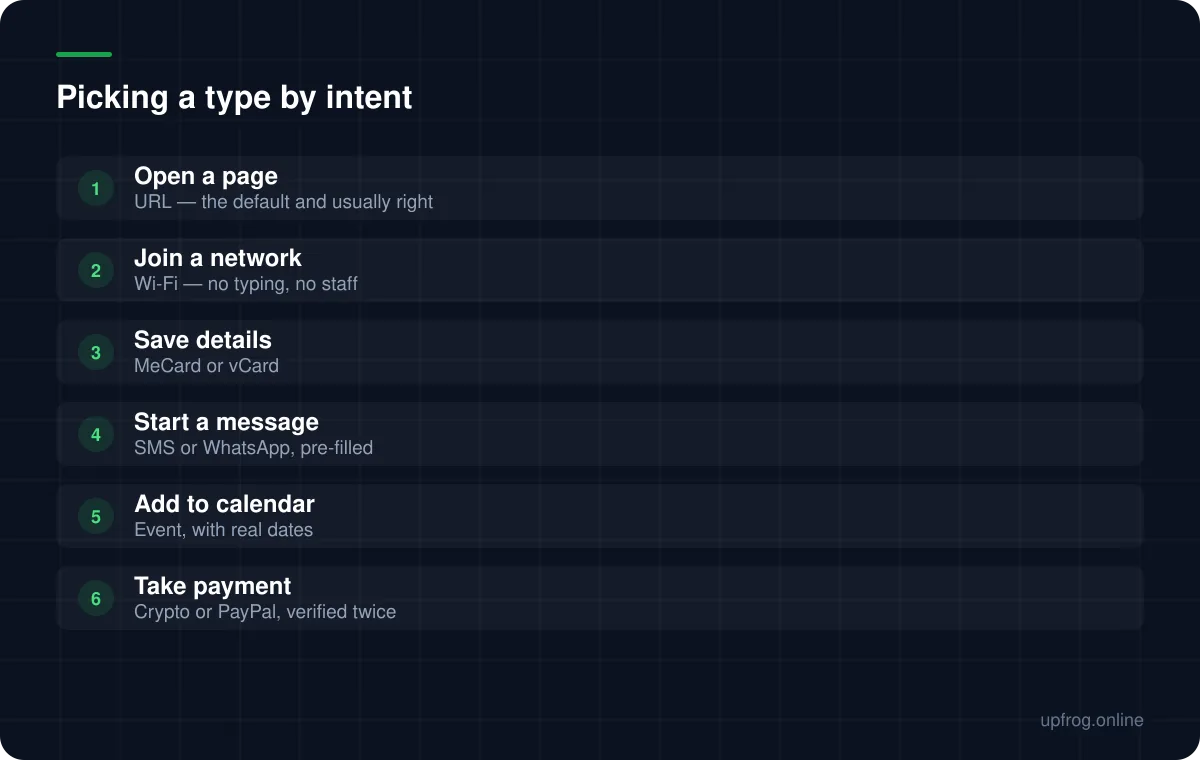
Most codes should be URLs. It is the most universally supported type, it works identically everywhere, and it gives you a web page where you control the entire experience.
It is also the most flexible: a URL can lead to a page offering a contact download, a menu, a form or anything else, and you can change what that page contains without touching the printed code.
The one requirement is that it must include the scheme. A code containing example.com without https:// is a text code, and many phones will simply display it as a line of text with nothing to tap.
Where a specific type beats a URL
Certain jobs are done far better by a dedicated format, because they remove friction a web page cannot.
- Wi-Fi — a URL cannot join a network. This type replaces an entire conversation and a password on a chalkboard.
- Contact details — MeCard or vCard lands straight in the address book without a download step.
- SMS — pre-fills both the number and the message, which is useful for keyword-based signups.
- Calendar events — writes directly into the calendar app with correct dates and times.
- Phone — one tap to dial, which suits service and support contexts.
Watch the payload length
Specific types often carry more characters than people expect, and length drives module density.
A full vCard with an address and several phone numbers is a long string, producing a dense code that scans poorly at business-card size. A calendar event with a description is similar.
If the code is going to be small, either trim the fields, choose the terser format where one exists, or point at a URL instead and let the page carry the detail.
A quick decision path
Work from what you want to happen, not from what data you have.
- 1
Name the action you want
Join the wifi. Save my number. Open the menu. Add the event.
- 2
Pick the most specific type that performs it
Specific types remove steps, and removed steps are the entire value of a QR code.
- 3
Fall back to URL when the action is 'see something'
Anything involving reading, browsing or choosing belongs on a web page.
- 4
Decode and verify the raw string
Especially for Wi-Fi, contacts and payments, where a formatting error is silent.
Frequently asked questions
- What is the most common type of QR code?
- A URL, by a wide margin. It is universally supported and gives you a web page where you control the whole experience, which suits most purposes.
- When should I not use a URL QR code?
- When a dedicated format removes a step a web page cannot. Joining a Wi-Fi network, saving a contact, pre-filling a text message and adding a calendar event are all done better by their specific types.
- Why does my QR code show text instead of opening a link?
- The URL is missing its scheme. Without https:// at the front, the payload is plain text, and many phones will display it rather than offering to open it.
Sources
Specifications and primary documentation referenced above.