
Short answer
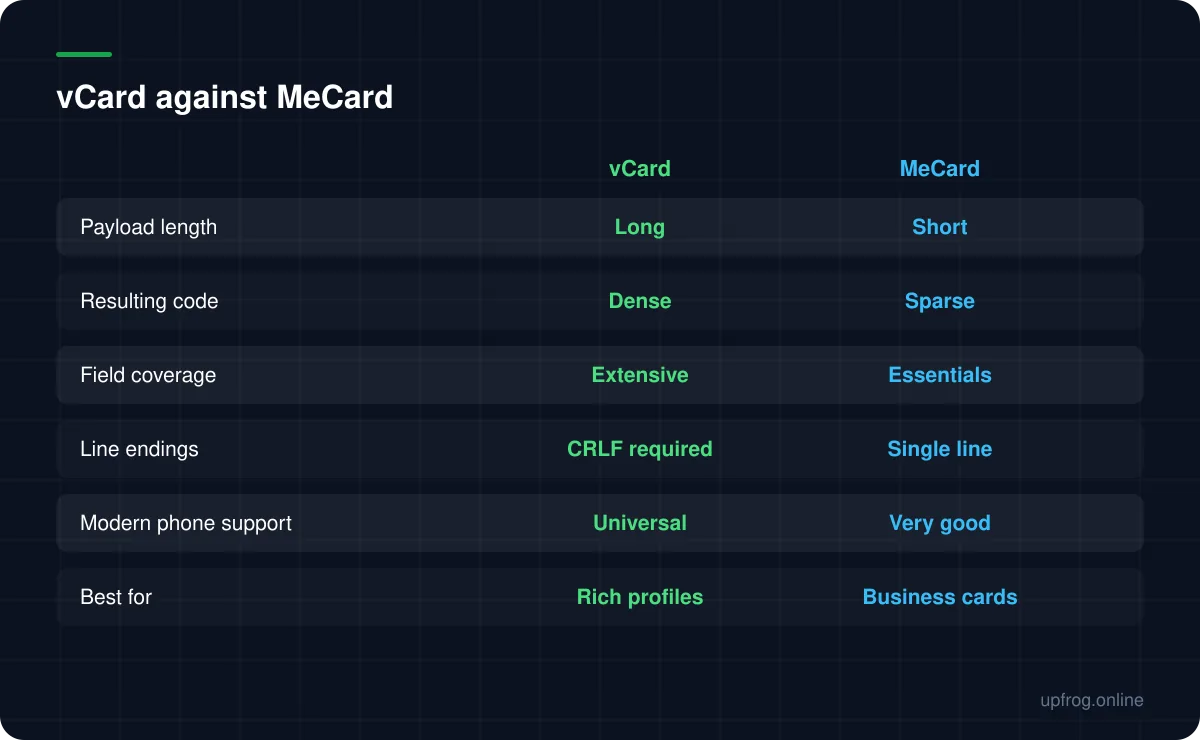
MeCard encodes the same essentials in a fraction of the characters, producing a sparser, easier-to-scan code. Use MeCard for name, phone, email and website. Use vCard only when you genuinely need the extra fields, and expect a denser code.
The difference that matters
Both formats do the same job: hand a phone a set of contact details so it can offer to save them. The difference is verbosity.
vCard is a full standard with named properties, a version declaration, and required opening and closing lines. Every field carries a property name. MeCard was designed for exactly this situation — squeezing contact details into a barcode — and uses terse two- or three-letter keys on a single line.
The same person's details can be roughly twice as long in vCard as in MeCard. That length is not an abstract concern: more characters means more modules, and more modules at the same physical size means each one is smaller and harder to scan.
Why density matters so much here
Contact codes are unusual because of where they live. A business card code might be 2cm square. A conference badge is similar. These are among the smallest codes anyone prints.
At that size, the difference between a sparse code and a dense one is the difference between scanning instantly and needing three attempts under bad lighting. The format you pick has more effect on that than almost any design decision.
When vCard is the right answer
vCard earns its length when you genuinely need what it carries.
- Multiple phone numbers with meaningful type labels — work, mobile, fax.
- A structured postal address you want to land correctly in the address book.
- Job title and organisation as separate, properly labelled fields.
- A note field, or anything beyond the basics.
The formatting trap
vCard requires CRLF line endings — a carriage return and a line feed between every property. Not a plain newline.
This is invisible and it breaks things. A generator that writes plain newlines produces a payload some phones reject outright, and others parse only partially, dropping fields after the first. The code decodes perfectly and the contact card is wrong or empty.
It is worth decoding your own contact code and reading the raw text before printing a few hundred business cards. Our generator emits CRLF and round-trips every content type byte-for-byte on each change, precisely because this class of error is silent.
How to decide
A short path through it.
- 1
List the fields you actually need
Not the fields available. Most cards need name, one phone, email and a website.
- 2
If that list is four items or fewer, use MeCard
You get a visibly sparser code at the small size a card demands.
- 3
If you need structured addresses or typed numbers, use vCard
And accept the denser code, or print it slightly larger.
- 4
Decode it and read the raw text
Check the line endings survived and every field is present.
The third option
There is an alternative worth considering: encode a URL pointing at a contact page on your own site, which offers a downloadable vCard.
The code becomes extremely short and therefore very sparse and reliable. You can update your details without reprinting. And you can present the information nicely rather than dumping it into a contacts app.
The trade-off is that it needs a network connection at scan time, and it adds a step. For a conference badge where speed matters, a direct MeCard is better. For a business card that lives in a wallet for two years, the URL is often the smarter choice.
Frequently asked questions
- Is MeCard or vCard better for a business card?
- MeCard, in most cases. It produces a much shorter payload and therefore a sparser code, which matters a great deal at the small sizes business cards use. Switch to vCard only if you need structured addresses or typed phone numbers.
- Do modern phones still support MeCard?
- Support is very good across current iOS and Android scanners. vCard is the more universal of the two, which is the main argument for it, but MeCard is not a legacy format in practice.
- Why did my vCard QR code import only half the fields?
- Almost always line endings. vCard requires CRLF between properties, and a generator that writes plain newlines produces a payload some phones parse only partially. Decode the code and inspect the raw text.
Sources
Specifications and primary documentation referenced above.