
Short answer
Keep the payload as short as possible, because a business card code is typically only 2cm square. MeCard beats vCard on density, and a short URL to a contact page beats both. Around 2cm with a proper quiet zone is the practical minimum.
Why card codes are hard
A business card gives you very little room. Once you allow for the quiet zone, a code is typically about 2cm square — among the smallest anything gets printed at.
At that size, every module is tiny. A dense payload produces modules small enough that ordinary print resolution and ink spread start to blur them together, and the code becomes unreliable in exactly the conditions it will be used: a dim bar, a busy conference hall, a quick scan while holding a drink.
So the design problem is almost entirely about keeping the payload short.
What to encode
Three options, in rough order of how well they work at this size.
- A short URL to a contact page on your own domain — shortest payload, sparsest code, and you can update details without reprinting.
- MeCard — a compact contact format that lands straight in the address book with no network needed.
- vCard — richest field support, longest payload, densest code. Use only if you need structured addresses or typed phone numbers.
Placement and finish
Two practical details cause most card-code failures after the payload is sorted.
Keep the code away from the trim edge. Cards are cut with a tolerance, and a code positioned tight to the edge can lose part of its quiet zone in production even though the artwork was correct.
And avoid gloss over the code. A laminated card is a mirror, and the reflection from overhead lighting lands straight across the pattern. Many printers will apply a spot matte over a specific area while keeping the rest of the card glossy.
Getting it right
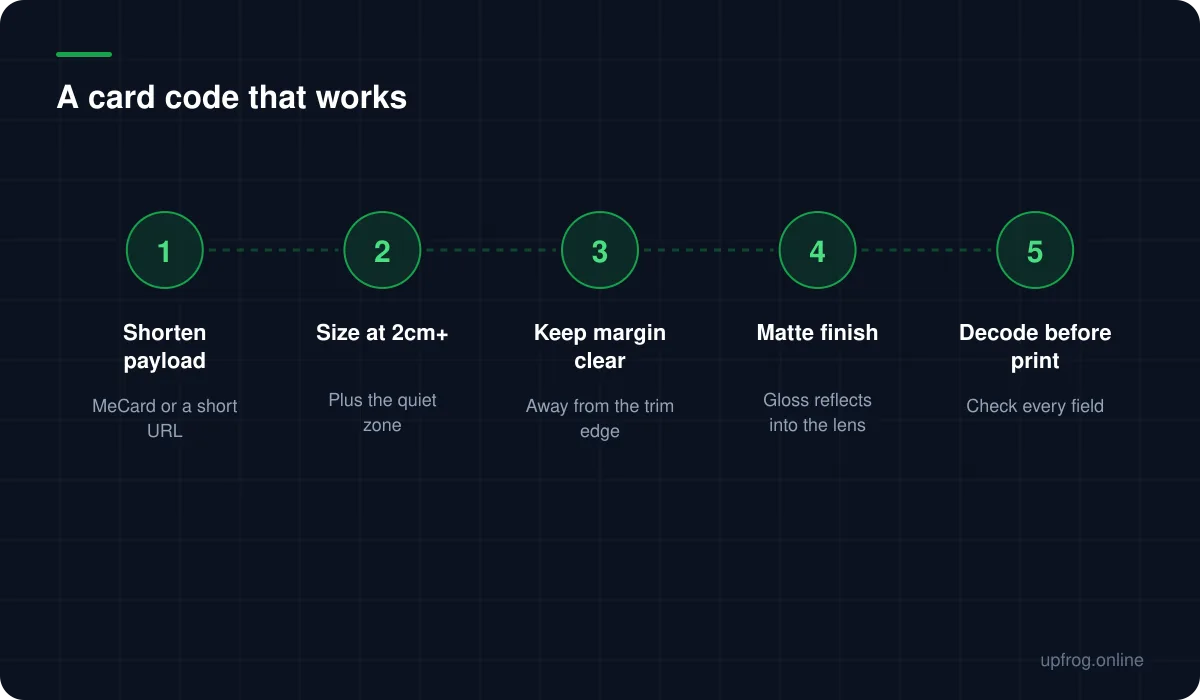
Five steps, in this order.
- 1
Decide what the scan should achieve
Save my details, or send me to a page. These lead to different formats.
- 2
Choose the shortest format that achieves it
A short URL, then MeCard, then vCard as a last resort.
- 3
Size it at 2cm or more, with the margin outside that
Then position it away from the trim edge.
- 4
Ask for matte over the code area
Or choose an uncoated stock for the whole card.
- 5
Decode a printed sample before the full run
Read the raw text and confirm every field arrived intact.
The case against a card code entirely
It is worth asking whether the code earns its space. If the card already prints your email and phone number legibly, a code that saves the same details is duplicating work the reader can do with a camera and any OCR-capable phone.
Where a code genuinely adds value is when it leads somewhere the card cannot go: a portfolio, a booking page, a profile that stays current after the card is two years old. That is an argument for a URL rather than a contact format.
Frequently asked questions
- How small can a QR code be on a business card?
- Around 2cm square is the practical minimum with a short payload, plus the quiet zone outside that. Below roughly 1.5cm, print resolution and ink spread start blurring individual modules regardless of the arithmetic.
- Should a business card QR code use vCard or a URL?
- A short URL to a contact page usually wins: it produces the sparsest code and lets you update your details without reprinting. MeCard is the best offline option; vCard produces the densest code of the three.
- Why does my business card QR code scan badly?
- Usually payload length or gloss. A full vCard at 2cm produces very small modules, and a laminated finish reflects light into the camera. Shorten the payload and ask for a matte finish over the code.
Sources
Specifications and primary documentation referenced above.