Short answer
The length of your URL sets how many modules the code needs. A long link with tracking parameters can push a code several versions higher, shrinking every module at the same print size. Trimming the URL enlarges every module for free.
How length becomes a scanning problem
A QR code's size in modules is determined by how much data it holds. The specification defines a series of versions, each with more modules than the last, and the encoder picks the smallest version your content fits into.
That means content length silently controls module size. Print two codes at the same physical width — one holding a 25-character link, one holding a 120-character link with campaign parameters — and the second has far more, far smaller modules crammed into the same square.
Smaller modules are harder for a camera to resolve, particularly at distance, in poor light, or on absorbent paper where ink spreads.
Where the length usually comes from
In practice, most over-long QR payloads are the same handful of things.
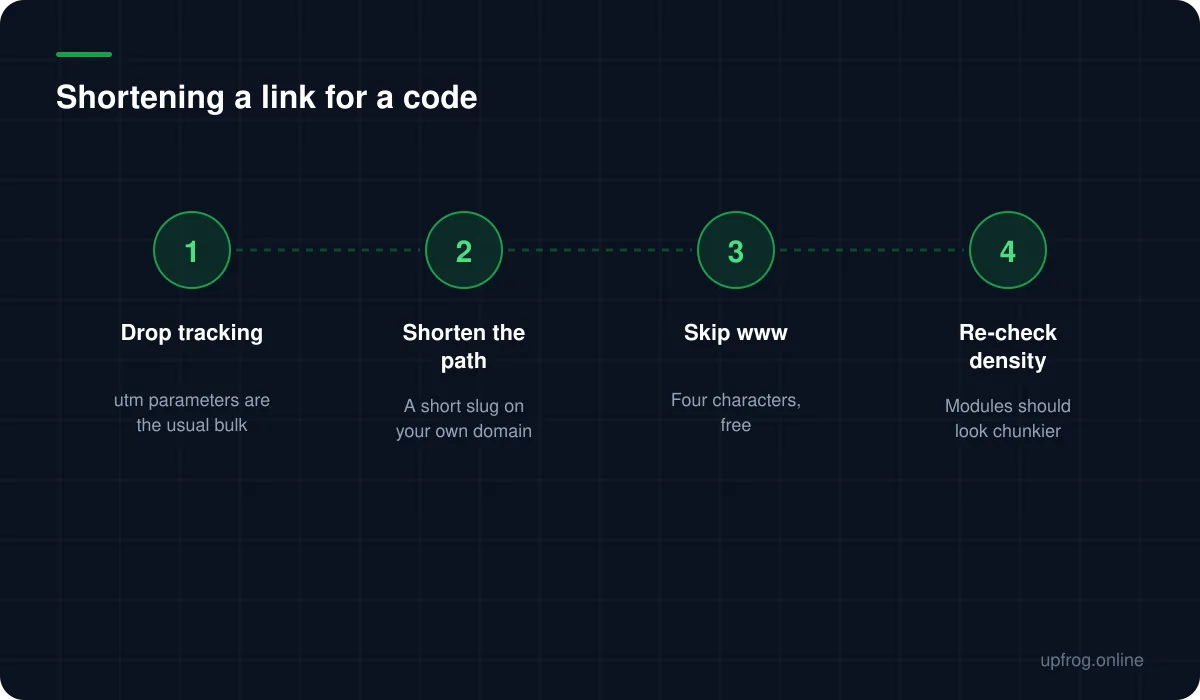
- Campaign tracking parameters, which are frequently longer than the URL they are attached to.
- Deep paths from a content management system with dates, IDs and slugs.
- Session or referral tokens that were never meant to be printed.
- A www prefix and a trailing slash, which together cost five characters for nothing.
Uppercase is not the trick people think
You may read that uppercasing a URL makes a code smaller, because QR has an alphanumeric mode that packs uppercase letters more efficiently than the general byte mode.
That is true of the encoding, and mostly useless in practice. The mode only applies if the entire payload fits its restricted character set, and a URL containing lowercase letters or many symbols will not. Worse, an uppercased path is case-sensitive on many servers and may simply 404.
Shortening the string is reliable. Uppercasing it is a micro-optimisation with a real failure mode attached.
A practical approach
The most robust pattern also solves a separate problem — being unable to change a printed code's destination.
- 1
Create a short path on your own domain
Something like your-domain.com/menu. Short, memorable, and yours.
- 2
Redirect it to the real destination
Now the printed code never changes even when the destination does, and you keep the scan counts in your own server logs.
- 3
Give each printed placement its own path
/menu, /table, /window. That is your campaign attribution, without a single tracking parameter.
- 4
Regenerate and compare
The modules should look visibly chunkier at the same size. That is the improvement you wanted.
On third-party shorteners
A public URL shortener achieves the length reduction, and introduces exactly the dependency that dynamic QR codes have. If the shortener disappears, changes its terms, or is blocked on a corporate network, every printed code stops working at once.
Some scanners and security tools also flag shortened links, because obscuring a destination is a phishing pattern. For a printed code that people are asked to trust, showing your own domain is worth something.
Your own short path is better on every axis except setup time.
Frequently asked questions
- Does a shorter URL really make a QR code easier to scan?
- Yes, meaningfully. Fewer characters means the encoder can use a lower version with fewer modules, so each module is physically larger at the same print size — and larger modules are easier for a camera to resolve.
- Should I use a URL shortener for QR codes?
- Prefer a short path on your own domain. A third-party shortener creates the same single point of failure as a dynamic code, and shortened links are sometimes flagged by security tools.
- Does uppercasing a URL make the QR code smaller?
- Only if the entire payload fits QR's restricted alphanumeric character set, which most URLs do not. It also risks breaking case-sensitive paths. Shortening the string is the reliable approach.
Sources
Specifications and primary documentation referenced above.