Short answer
A QR code needs an empty margin of at least four modules on every side. That blank space tells the decoder where the code ends. It is almost always removed later, during layout, by someone treating it as wasted whitespace — which is why it causes so many late failures.
What the quiet zone does
The quiet zone is the blank margin surrounding the code. The specification requires at least four modules of it on all four sides — four times the width of one of the little squares, not four millimetres.
Its job is boundary detection. A decoder scanning a camera frame needs to work out where the symbol starts and stops. Without a clear border, surrounding artwork bleeds into that decision and the decoder either misjudges the grid or never locks onto the code at all.
It is genuinely part of the code, in the same way the corner patterns are. It just does not look like it, which is exactly the problem.
Why it disappears so often
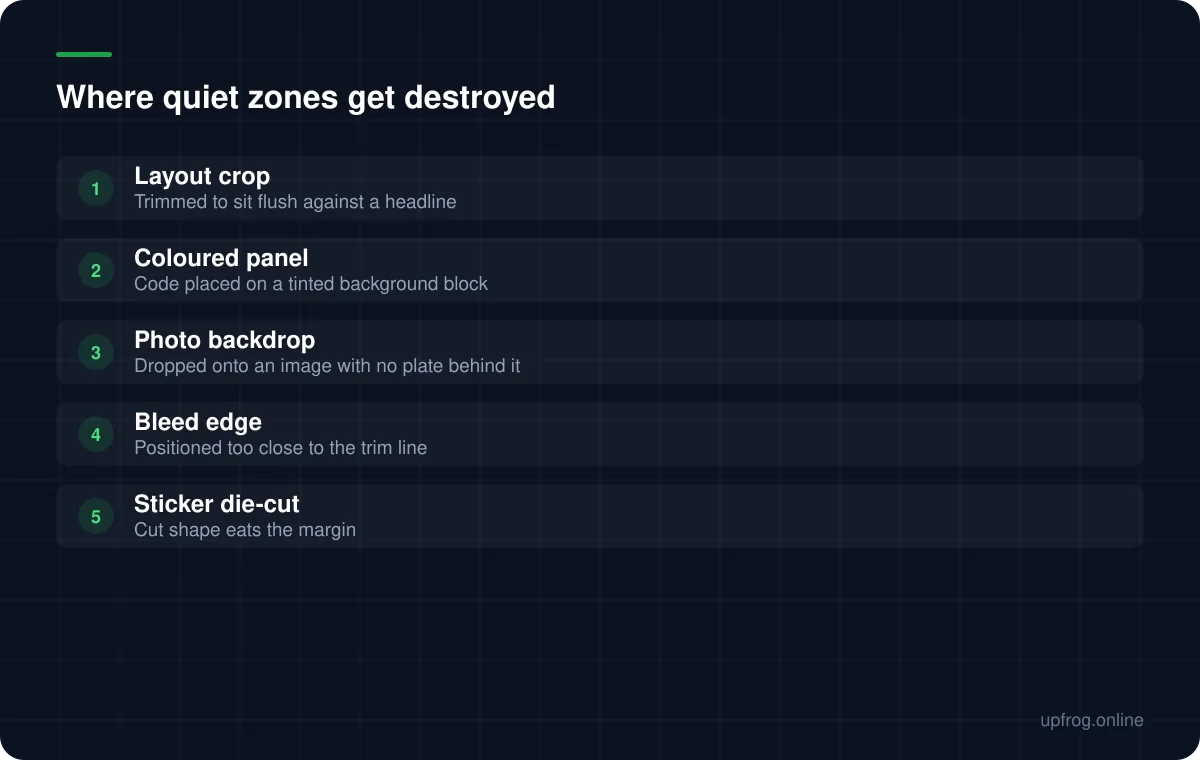
Almost nobody removes the quiet zone deliberately. It vanishes during layout, for reasons that all seem sensible at the time.
A designer receives a code as a PNG with what looks like excess whitespace, crops it tight so it aligns with a text block, and the file that goes to print has a one-module margin. It still scans on the designer's monitor, because a backlit screen at close range is extremely forgiving.
The other common route is background. Placing a code directly on a photograph or a coloured panel technically preserves the margin but destroys its function, because the margin is no longer light and uniform.
How to keep it
Four habits prevent essentially all quiet zone failures.
- 1
Export with the margin included
Our generator has a quiet zone control in Advanced options, set safely by default. Keep it, so the margin travels with the file rather than being someone else's responsibility.
- 2
Shrink the code, never the margin
When space is tight the instinct is to trim the border. Reduce the whole code instead — a smaller code with a proper quiet zone beats a larger one without.
- 3
Put a light plate behind it
Any time the code sits over artwork, colour or a photo.
- 4
Check the final artboard, not the asset
The failure happens in layout, so that is where it has to be verified.
How much is enough
Four modules is the specification minimum, and it is a minimum rather than a recommendation. On clean digital display you can sit at four comfortably.
For print, a little more is cheap insurance. Trimming tolerance, folding and the possibility of the code ending up near a page edge all argue for a slightly wider border than the standard requires.
Going far beyond that gains nothing. The margin does not need to be generous, it needs to be present and clean.
Frequently asked questions
- How big should the quiet zone around a QR code be?
- At least four modules on every side — four times the width of one small square in the pattern, not a fixed measurement. For print, slightly more is worth having as tolerance against trimming.
- Can a QR code sit on a coloured background?
- Only if the background is light enough to act as the light half of the code's contrast, and even then it is risky. The safer approach is a white or near-white plate behind the code, sized to include the full margin.
- Why does my code scan on screen but not in print?
- A cropped quiet zone is one of the two usual causes, alongside print size. Screens are backlit and high contrast, so they mask a marginal quiet zone that paper will not.
Sources
Specifications and primary documentation referenced above.