Short answer
Decode it back to raw text and read the string. Then print one at final size on the final material and scan it on two different phones, at an angle, in the lighting it will live in. Those two steps catch almost everything that goes wrong.
Test one: decode it back to text
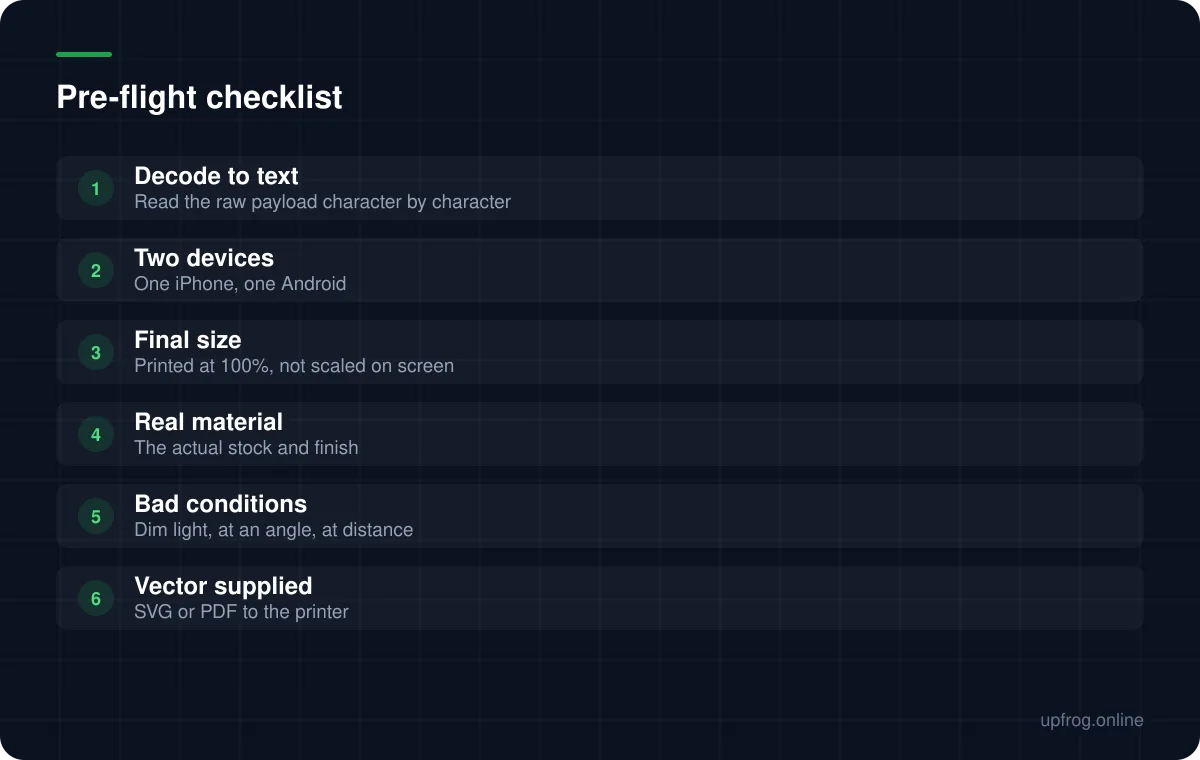
Before worrying about whether a code scans, check what it says. Use a plain QR reader that shows the raw decoded string rather than immediately opening it — your phone's camera shortcut often hides the actual text.
Read it character by character. This catches the failure that wastes the most time: a code that decodes perfectly and still does nothing useful, because the payload itself is malformed.
- A URL missing its scheme, so the phone treats it as plain text rather than a link.
- A Wi-Fi password containing an unescaped semicolon, silently truncating everything after it.
- A vCard missing its closing line, which some phones reject entirely.
- A typo in a payment address, which is unrecoverable once printed.
Test two: print one, properly
A screen test proves almost nothing. Screens are backlit, perfectly flat, high contrast and held at a comfortable distance. Paper is none of those things.
Print a single sample at exactly final size — not scaled to fit a page — on the material you will actually use, with the finish you will actually use. Then scan it under the lighting where it will live.
- 1
Print at 100%, on the real stock
Office paper does not predict how laminated card or kraft will behave.
- 2
Scan on two different phones
At minimum one iPhone and one Android. Camera behaviour differs meaningfully between them.
- 3
Scan badly, on purpose
From the far end of the intended range, at maybe 30 degrees off square, in dim light. If it only works held perfectly, it does not work.
- 4
Scan on an old phone if you can find one
Your newest device is the best case your code will ever meet.
What to check in the file itself
A few file-level things are worth confirming before anything reaches a printer, because they are invisible once the artwork is placed.
- The quiet zone survived the layout — at least four modules on every side.
- Nothing has stretched or skewed the code. It must remain square.
- You are supplying vector, so the printer is not upscaling a bitmap.
- If there is a logo, error correction is at H and the logo is under about a quarter of the width.
- Contrast is genuinely strong, not just visually pleasant.
Testing at volume
If you are generating many codes programmatically — event tickets, asset tags, per-product links — spot checking by eye does not scale and will miss the one broken batch.
The reliable approach is automated round-tripping: generate each code, decode the image back to text, and compare it against what you intended, character for character. Anything that does not match exactly is a failure, regardless of how it looks.
This is exactly what we do for our own generator. All 19 content types are encoded, rendered, decoded and compared byte-for-byte on every change, which is how we know the awkward cases — vCard line endings, escaped semicolons in Wi-Fi passwords — still work.
Frequently asked questions
- What is the fastest way to check a QR code is correct?
- Decode it with a plain reader that shows raw text, and read the string yourself. That single step separates a broken code from a broken destination, which are completely different problems.
- Do I really need to print a test?
- For anything going to a print run, yes. Screen tests cannot reveal ink spread, glare from a finish, or how the material handles small modules — and those are the failures that are expensive to discover afterwards.
- How do I test hundreds of generated codes?
- Automate a round trip: render each code, decode the image back to text, and compare byte-for-byte with the intended payload. Visual inspection does not scale and misses exactly the systematic errors that affect a whole batch.
Sources
Specifications and primary documentation referenced above.